
|
Advanced Search |
DinoScene allows you recreate images from the past. You can add as many dinosaurs as you like, find out information about the dinosaurs featured and even print your scene when you are done!
Click on the dinosaur icons to add a dinosaur. You can find out about the dinosaurs you put on the picture by clicking their name below the button. Once the dinosaurs and other prehistoric objects are on the picture you can move them about by clicking and dragging them around. The last dinosaur you click will be brought to the front and is now selected for you to use the "Flip" or "Remove" buttons. You can print your picture when you are finished by clicking the print button!
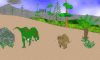 Cretaceous Dino Scene |
You'll need Java 1.3 to run this applet. Depending on your set up, you may be asked to accept a security certificate. This can be ignored if you do not wish to print your DinoScene. If you do wish to print your scene, please accept the certificate request. Enjoy and contact us if you have any problems.
11-10-2006: More Pictures!.
Another 11 pictures have been added to the database.
30-4-2006: Articles Section.
New articles section
24-4-2006: 150 Pictures!.
We've now got 150 pictures in our database!
We have 23 tutorials.
A total of 55 links.
181 definitions in our glossary.
A total of 164 pictures of which 133 are photographs and 31 are diagrams.
We have 439 members who have posted 5819 posts

